
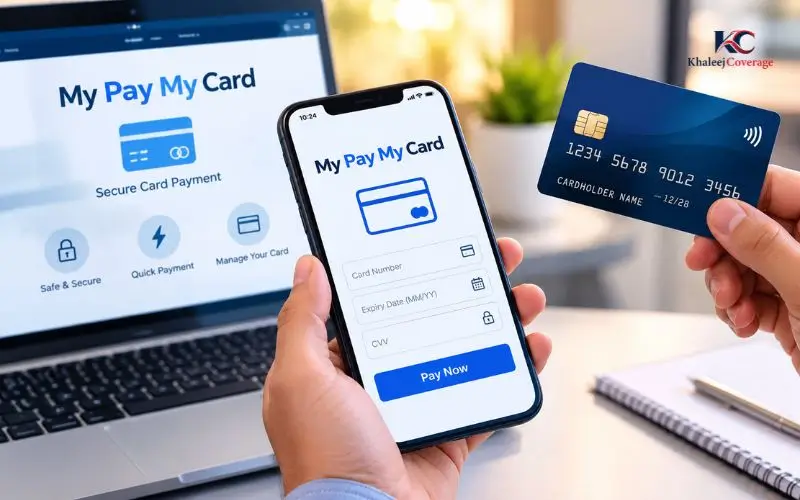
My Pay My Card is a helpful service for UAE employees who get their wages via LuLu Exchange. It facilitates card services, checking transactions and available balance, as well as managing common issues related to cards. The official LuLu Money platform provides employees with a platform to view the features they can use and track their salary payout. Knowing about the UAE Wage Protection System (WPS) can also assist workers in identifying potential delayed wages. This article covers how to check and log in to your balance, how to activate your card, how to troubleshoot common issues, and how to get official help.
What Is My Pay My Card?
The product is a payroll solution that enables employers to pay their employees electronically. LuLu Exchange provides it within the framework of the UAE’s WPS, which facilitates salary transfers from the employer to the authorised financial institutions or payment agents.
The eligible employee can get a salary card linked with the salary administration system offered by the employer, rather than a wage account in their own bank. The specifics of the features offered vary according to the card and services provided by the provider.
How Does the Salary Card Work?
The typical steps of the process are
- Your employer will make and send your salary payment via your payroll system.
- The payments are made by the appropriate wage payment system.
- The payment will be credited once it has been completed successfully.
- You can get your available balance at an approved channel.
- The funds available are used for supported transactions with the caveat of card terms and limits.
The payroll file isn’t necessarily filed, and that does not mean that the funds will arrive right away. If you have not seen any changes in your salary, make sure to double-check with your employer that the funds were issued.
Is It a Bank Account or Credit Card?
A salary card is not a regular current account or a credit card.
A payroll card is used to access money credited under the appropriate payroll system. A credit card, on the other hand, typically offers a credit line on different terms.
It is important to not take it for granted that your salary card has an overdraft facility, a savings account, a chequebook, and all the benefits of a bank. Please read the conditions that have been provided with your specific card.
How to Check Your Salary Card Balance Online
Eligible salary card customers have access to card management features on the LuLu Money platform. According to its official FAQ, users can log in to the card area and see the balance they have.
First, go to the official LuLu Money website or mobile app.
Balance Check Through the LuLu Money App
Follow these steps:
- Open the LuLu Money application on your cell phone.
- Log in with your registered account information.
- Fill out the necessary verification, if applicable.
- Tap Open LuLu Money Cards on the home screen or under More. Tap on the home screen to open LuLu Money Cards, or under More: My Cards.
- Click on the appropriate card.
- Check the available balance on the card page.
Menu labels might change from application version to account setup and application version. If your salary card is not there, please make sure you are in the right registered account and the card has been attached or activated as necessary.
Can You Check the Balance on a Website?
One can start on the official site of LuLu Money and find out what account services are available. But the instructions published by the provider clearly explain that the provider’s application has a card section for viewing balance.
Not all cards can be verified with a separate public balance enquiry page. Only use the channel that has been confirmed with your card.
Do not enter card information when the website uses wording similar to that of your card’s name.
How to Review Your Transaction History
When you check the balance, you will know how much money you have. You can get more information about the balance change from the transaction history.
In the LuLu Money app:
- Choose the appropriate card.
- Click on Transaction History or the like.
- Review the transactions shown.
- If necessary, use the date and/or transaction filters.
- Click on the individual transaction to view the details of that transaction.
Filters for the current day, week, month, and a custom date range are included in the provider’s published instructions. The available options may vary depending on the application version.
If there are transactions that you don’t recognize, report it through an official support system; don’t ignore them.
How to Log In to Your Account
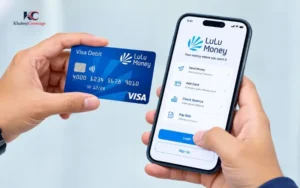
Eligible users can access the official application to manage card services. Avoid using a third-party login page; instead, use LuLu Money’s application or website login page.
Login Steps
- Launch the official LuLu Money app.
- Please enter your registered login information.
- Fill in the requested security information.
- Go to the cards area.
- Click on the Salary Card to see what services are available.
If you are not registered, please use the provider’s current registration process. LuLu Money’s published FAQ outlines registration procedures with personal contact information and Emirates ID, and identity-verification requirements (if any).
A digital platform doesn’t require the same registration as it would to qualify for a specific salary card. The type of payroll arrangement that your employer has will dictate which service for disbursing salary you will be using.
What If You Forget Your Login PIN?
LuLu Money has included a FAQ section on their website that outlines a PIN-recovery process with the registered mobile number and a one-time password.
Generally, you should:
- Select the official app’s Forgot PIN option.
- Enter the registered cellphone number.
- Please follow the verification instructions.
- Please change the PIN to meet the requirements shown.
If the registered number is no longer available to you, please contact the provider using the official support information. Don’t let someone else take or give your verification code.
Read Also: Hafilat Card Balance Check
How to Activate Your Salary Card
New cards may require activation before you can utilize all of the features. Please use the instructions provided in the card and in the official application.
There are several options for card activation, as described in the provider’s published card instructions, such as OTP verification, automated telephone activation, and customer support.
Activation Through OTP
If this is possible:
- Sign in to the official application.
- Open the card page.
- Select Activate Card.
- Fill in the required information for the card.
- Choose OTP verification.
- Enter the code provided to your registered cell phone.
- Follow the confirmation message.
The card shall only be considered to be activated when the application or provider indicates the process has been completed.
Activation Through Customer Support
In the event of digital activation failure, consider other options provided in the application. You may be directed to an Automatic Telephone Answering or Customer Support.
Have your card and identification with you when you contact the provider, but never give your PIN or reveal an OTP to someone who calls you out of the blue.
If it is indicated in the application that activation is pending, please proceed to activate as directed by the provider and then repeat the application.
How Salary Payments Work Under the UAE WPS
The UAE Wage Payment System is an electronic wage-payment system, introduced by the Central Bank of the UAE, that facilitates the timely payment of wages and enables the authorities to track wage transfers.
Employers and contracted payment agents are involved in the system. Wage information and payment confirmation are handled through the appropriate arrangements.
The actual benefit to an employee is that a salary card is just a minor component of the compensation system. The employer is also responsible for processing the payroll properly, and the funds must be paid before they can be accessed.
What Should You Do If Your Salary Has Not Arrived?
If you had been expecting a pay increase, but the balance is the same, these are the steps to take:
- Recheck the balance in the official channel.
- Check your transaction history and salary notification.
- Inquire with your employer’s HR or payroll department about the submission and processing of the payroll.
- Double-check the salary figure and the date for receiving the salary.
- If payroll has been rendered but there are no funds, be sure to contact the card provider.
- Maintain pertinent correspondence, paychecks, and transaction records.
Don’t expect a guaranteed salary that should come within a certain number of hours if it hasn’t been confirmed. The timing is determined by the payment status and the transaction.
Should your employer be late in paying wages as specified, you may have to go to the right official UAE labour channels for help. Not all employment-related wage disputes can be settled by a card-provider inquiry.
How to Use Your Card Safely
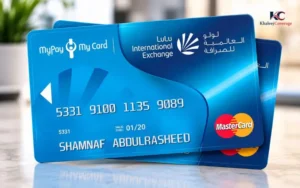
Your salary might be used to pay for things that are necessary, like paying the rent, buying food, transportation, and money sent to family members. It’s important to protect access to those funds.
Protect Your PIN and OTP
Do not give your card PIN and application pin/OTP to someone you don’t know. If you receive a call from someone claiming to be a bank representative or a representative from customer support based on your name or credit card provider, the caller should not be trusted.
Set a PIN that is not easily guessed. Don’t use any easy-to-guess dates or numbers that can be guessed that repeat.
Use Official Websites and Applications
Check the website address or application publisher before logging in. Don’t click on links included in unsolicited messages or in social media comments or on an unknown site that provides instant checks of balance.
If a page requires unnecessary personal information and/or promises to give you access to your salary without asking for any proof, then stop and verify with the provider the appropriate process.
Lock or Block a Missing Card
Quickly if your card is lost, stolen or you think it might be compromised.
If you can use the card-management section, you can lock a card and/or block or request a replacement, as outlined in LuLu Money’s published instructions.
In case of an inability to use the application, reach out to the official support team at the earliest. Check transaction history and report any unusual transactions.
Common Problems and How to Resolve Them
The Balance Is Showing Zero
A zero balance doesn’t necessarily mean that the payment has not yet been credited to the account; it could be because the payment is being processed or you are looking at the wrong card or account.
Review transaction history and request verification of payroll status from your employer. The employer should confirm the success of the processing – contact the provider with the necessary payment information.
The App Does Not Show My Card
Ensure that you log in with the appropriate account and registered mobile. See if your card needs to be activated or linked.
If the card still doesn’t show up, go through the official support system and not through multiple accounts or provide your information on an unauthorized system.
My Card Payment Was Declined
There are a variety of reasons why a transaction may be declined: not enough funds on the card, the card is inactive or locked, too much money is being attempted to be used in one transaction, or there is something wrong with the merchant.
Check on your available balance, card status, and enabled transaction controls. If it was deducted even though you couldn’t pay, check your transaction history first before you re-enter again.
If it does not get resolved, contact the provider regarding the transaction.
I Do Not Recognise a Transaction
Open transaction details and note down the date, transaction amount and reference number. Be sure to follow the provider’s dispute or customer support procedure as soon as possible.
If you think that someone has tampered with your account, then lock your card if possible, and secure your account.
I Changed My Mobile Number
The registered number might be required for login verification and OTPs related to the card. If you no longer have control over the old number, then contact the provider to update your information via its identity-verification procedure.
Never trust a person to get security codes for you.
Fees, Limits and Card Features
Check the fees and transaction amounts against the terms that apply to your particular card. The charges may vary from transaction to transaction, payment channel and service.
Please refer to the current official app or the provider’s documentation for charges and limits before withdrawing cash, transferring money or making an international payment.
| Feature | What to check |
| Balance enquiry | Which official channel supports your card |
| ATM withdrawal | Supported ATM network, withdrawal limits and charges |
| Shop payments | Card activation, available funds and transaction controls |
| Money transfers | Recipient details, transfer limits, exchange rate and fees |
| Replacement card | Eligibility, request procedure and applicable charges |
| Statements | Available date ranges and any statement fees |
Note that not all services provided on the LuLu Money app will be available on all salary cards. Before performing a transaction, review the options that are shown for your account.
My Pay My Card vs Other UAE Salary Cards
There are different ways to pay with a salary in the UAE, and the names of the cards may be confusing. For instance, FAB’s Ratibi card is a standalone salary-card offering. Other payroll providers might have their own balance enquiry methods, applications and payroll cards, and support channels.
This is because the correct approach is related to what card you have, not what you type into a search engine.
Look at the card name of the card issuer, your employer’s instructions and the official application for the product. If your card isn’t from an issuer, the login and balance checking process may be different. This is important since an unrelated card portal may not recognize your card and it could result in phishing risk if it is not the correct card.
Official Customer Support and Help
If you have any questions regarding access to the card, activating it, and/or a transaction, please contact LuLu Exchange through the official channels.
The provider has published the following UAE FAQ with contact details:
- Telephone: 600 522 204
- Email: customercare@ae.luluexchange.com
- Official website: https://www.lulumoney.com/
Information and services may change – please verify this on the official service provider website before giving them account details.
If you are contacting support, describe the issue precisely and include the transaction reference, if applicable. Never put your PIN or OTP in an e-mail or ticket to support.
In matters concerning wage-payment issues arising from the job, the UAE Ministry of Human Resources and Emiratisation might be the right place. The Wages Protection System is also detailed in the Central Bank of the UAE’s publications.
Conclusion
Knowing what services your salary card offers can help you better track your pay, review your spending, and solve issues without delay. Visit the official LuLu Money platform and verify the status and the transaction history of the card, and if it does not match what you are expecting, contact support.
First and foremost, find your card issuer before following online directions. Ensuring that the correct provider is used, the correct login page is used, and your PIN and OTP is handled securely helps to protect your personal information and salary.
Read Also: PPC Card in the UAE
Frequently Asked Questions
Can I check my salary balance online?
Yes, the cardholders who are eligible can get the available balance in the official LuLu Money App.
Do I need a bank account?
Not always. This is dependent on your salary card and the requirements of the provider.
Can I activate my card using my phone?
Yes! With OTP verification, you can turn it on via the app.
Why has my salary not arrived?
Your company might not have received the payment. Call HR to verify salary status.
Is a salary card the same as a credit card?
No. A salary card is similar to credited funds, and a credit card is a credit facility.
What should I do if my card is lost?
If possible, lock or block the card via the official app and then reach out to customer support.
Can I use another provider’s balance-check website?
No, do not use unofficial services because they are not the recommended service for your card and can put your personal and financial information at risk.