
First Abu Dhabi Bank (FAB) offers several ways to check your account balance, including the FAB Mobile app, online banking, and ATMs. You can check your money, review recent transactions, and download bank statements to track your income, spending, transfers, and card payments. Regular balance checks also help you spot transactions you do not recognise.
What Is FAB Balance Check?
A FAB balance check lets you see how much money you have in your First Abu Dhabi Bank account. You may want to check it after receiving your salary, transferring money, paying a bill, or withdrawing cash. Your balance can change throughout the day as payments and deposits go through.
FAB customers can check balances for savings accounts, current accounts, and other eligible banking products. The information available depends on your account type.
You should also understand the difference between your current balance and available balance. Your current balance shows the amount recorded in your account, while your available balance shows how much money you can use. These amounts may differ because of pending card payments, holds, or other adjustments.
A balance check gives you a quick view of your money, while a bank statement provides a record of your transactions over a selected period.
How to Check FAB Balance Online
For those who already have access to FAB’s online banking, you can keep track of your account by logging in online. When it’s convenient to see your account from your computer or mobile browser, online banking comes in handy.
Steps to Check FAB Balance Through Online Banking
Please follow the steps below to access your account:
- Go to the First Abu Dhabi Bank official website. Go to the official website of First Abu Dhabi Bank.
- Look for the link to Online Banking.
- Enter your registered login.
- Fill in any security questions that are required by FAB.
- Open the accounts or the Accounts overview page.
- Choose the account that you would like to review.
- Verify the account’s balance shown.
- If you require more details, check your transactions that have occurred recently.
- When you’re done, sign out of the computer system, especially on a shared computer.
The screen appearance and login sequence may vary, depending on changes to FAB’s services. In case different names are shown in the menu, follow the instructions discussed on the official website of the bank.
The online banking tied to FAB is protected by digital authentication. The bank may require you to validate an action using their mobile app or another verified way, depending on your registration and what action you take.
What Do You Need to Check Your FAB Balance Online?
Please check that you have the following before logging in:
- An eligible FAB account.
- Access to appropriate online banking service.
- Personal login information that was registered with you.
- Access to a working Internet connection.
- A cell phone or other device to conduct any necessary security checks.
If you have not signed up for Digital Banking, please register via FAB’s official methods.
Avoid entering your banking information, even if the site has a great search hit, if you’re asked to do so. Be sure to verify the web address, and avoid login links from unidentified persons via email or text messages.
How to Check FAB Balance Using the Mobile App
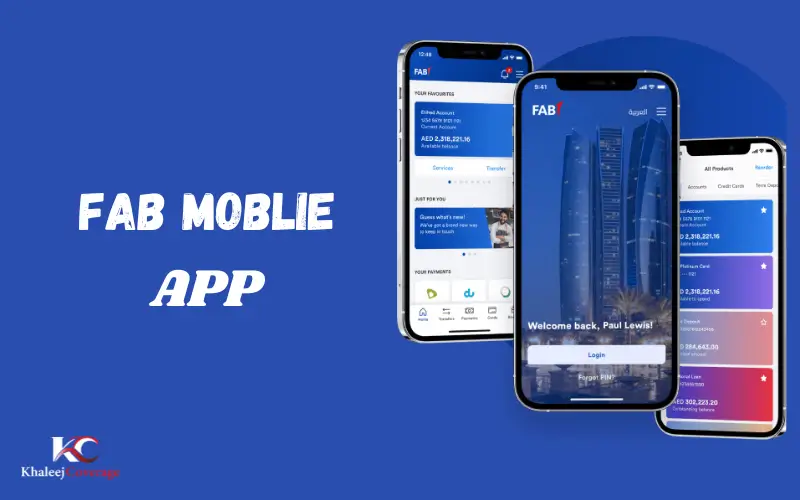
FAB Mobile app is a helpful solution for those who would like to operate their banking on a cell phone. The app enables customers to check their account balances, review transaction details, search transactions, and access electronic statements, FAB said.
Steps to Check Your FAB Balance on the App
Follow this process:
- Unlockthe FAB Mobile app on your mobile device.
- Log in using your registered login.
- Fill in any security questions that the bank asks.
- Go to the accounts section or an account overview.
- Select the account you want to view the balance for.
- Check the amount displayed on the screen.
- Check out the transaction history if you would like to look at payments and deposits made recently.
If it is not installed, take the chance to download it from FAB’s official website. The app is accessible using supported stores like the Apple App Store and Google Play Store.
Existing customers might require their identity number, eligible credit card information, complementary telephone and Internet connection to enlist. Please follow the requirements displayed upon registration, which may change.
What Else Can You Do Through FAB Mobile?
The app offers more than a balance display. You can use it to handle several everyday banking tasks.
| Feature | What you can do |
| Account balance | View the balance of your selected account |
| Transaction history | Check and search recorded transactions |
| E-statements | View or download available account statements |
| IBAN details | Find your International Bank Account Number |
| Card management | Manage supported debit and credit card services |
| Branch and ATM locator | Find nearby FAB banking locations |
| Service requests | Submit and track supported requests |
| Account access | Use the available account recovery options |
The available features depend on the banking product and your app access. You may see different options depending on whether you use an account, debit card, or credit card.
What If the FAB App Does Not Show Your Balance?
An account balance may fail to load because of a connection problem, an app issue, or a temporary service interruption.
Try these steps before contacting the bank:
- Check whether your phone has a working internet connection.
- Update FAB Mobile through the official app store.
- Close the app and open it again.
- Sign in again if the app allows you to do so safely.
- Check FAB’s official service status page for reported issues.
- Contact the bank if you still cannot access your account.
FAB provides a service status page where customers can check the availability of selected banking functions. This can help you determine whether the problem affects a particular service.
If you have forgotten your mobile banking PIN, use the official recovery option on the app’s login screen and follow the instructions.
How to Check FAB Balance Through an ATM
An ATM provides another way to check your account balance. This option can be useful if you are near a cash machine or cannot access digital banking at the time.
Steps for FAB ATM Balance Check
- Find a suitable FAB ATM.
- Insert your eligible bank card and follow the on-screen instructions.
- Enter your PIN when requested.
- Select the balance enquiry option if it is available.
- Check the balance shown on the screen.
- End the session and collect your card.
- Take your receipt if the machine prints one.
Keep your PIN private while using the ATM. Do not accept help from strangers who ask you to reveal your PIN or hand over your card.
If an ATM retains your card or displays an error during a transaction, contact FAB through an official channel.
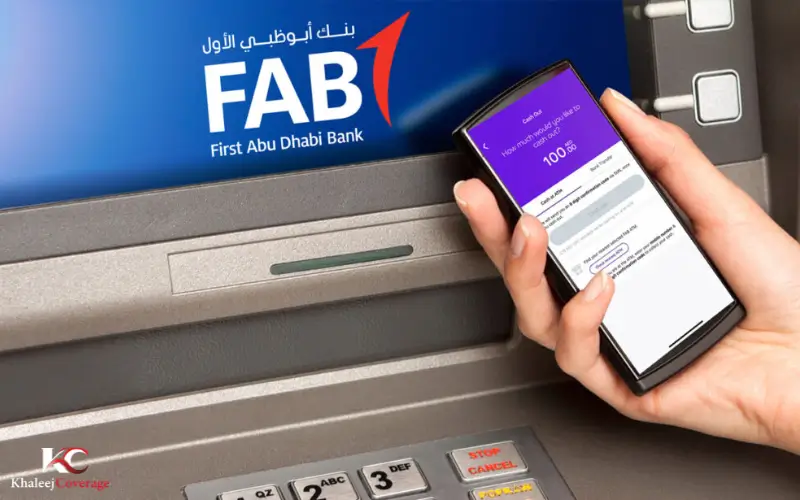
Is FAB ATM Balance Checking Free?
FAB’s published service and price guide lists balance enquiries at FAB ATMs as free for the relevant listed service. It also lists charges for balance enquiries at certain other banks’ ATMs.
The applicable fee can depend on the ATM location and the terms for your card or account. Check the current FAB fee schedule before using another bank’s machine, especially outside the UAE.
Do not assume that every ATM offers the same services. If you only need to see your account balance, using a FAB ATM may help you avoid a charge that applies to another provider’s machine.
FAB Balance Check Methods Compared
FAB customers can choose between digital banking, ATMs, and account statements. Each option serves a slightly different purpose.
| Method | What you need | When to use it |
| FAB Mobile app | Registered app access and required authentication | When you want to check your balance on your phone |
| FAB online banking | Login credentials and internet access | When you prefer using a computer or browser |
| FAB ATM | Eligible bank card and PIN, where required | When you need an in-person balance enquiry |
| Bank statement | Access to the relevant statement | When you need a record of past transactions |
| FAB customer support | Information needed for account verification | When you cannot access your account or need help |
For a quick check, the mobile app is often the most convenient choice for customers who have already registered. Online banking offers another way to view account details, while an ATM can help when you are away from your computer.
A bank statement serves a different purpose. It records activity over a particular period, so its closing balance may not match the amount currently available in your account.
How to Check FAB Balance Without Logging In
Some customers look for a way to check their balance without signing in to online banking. The options depend on which services FAB currently supports.
Use an ATM: A suitable ATM may let you check your balance without opening online banking. You will generally need to follow the machine’s card and PIN instructions.
Review a bank statement: If you have a recent electronic statement saved on your device, you can check the balance recorded for that statement period. However, it will not necessarily show your latest transactions.
Contact FAB: If you cannot access your account, contact the bank and explain the problem. FAB may need to verify your identity before providing account-specific information.

Do not rely on an unverified SMS command, USSD code, or third-party website that claims to display your FAB balance instantly. Check with the bank before using any method that is not listed in its official instructions.
There is an important difference between checking a balance without online banking and checking it without any authentication. An ATM or customer support service may still require you to prove that you have permission to access the account.
How to Check FAB Account Balance and Transaction History
Your account balance tells you how much money the bank shows in your account. Your transaction history helps you understand where that money came from and how you spent it.
FAB Mobile supports transaction details, transaction searches, downloads, and electronic statements. These features are useful if you want to confirm a payment or investigate a change in your balance.
To review your account activity:
- Open FAB Mobile and sign in.
- Select the account you want to review.
- Open its transaction details or history.
- Check the dates and descriptions of recent transactions.
- Look for deposits, withdrawals, card payments, and transfers.
- Use the available search or filter options to find a particular payment.
- Download the transaction history or an e-statement if you need a record.
If a recent payment does not appear as a completed transaction, it may still be processing. FAB explains that certain card payments can appear as transactions in progress or as amounts on hold while the merchant completes the process.
This can affect the available balance even when the final transaction details have not appeared.
If you find a payment you do not recognise, contact FAB promptly. Do not assume that an unfamiliar transaction is harmless simply because the amount is small.
Why Is Your FAB Balance Not Showing?
If your FAB balance does not appear, the cause may be a login problem, a technical issue, or an account restriction. The following checks can help you decide what to do next.
Incorrect Login Details
Check that you are using the correct registered details. If you have forgotten your mobile banking PIN, use the recovery option on the official FAB Mobile login screen.
Do not keep guessing your PIN if the app warns that access may be restricted. Follow the recovery instructions instead.
Internet or App Problems
A poor internet connection may prevent your account information from loading. Try a reliable Wi-Fi or mobile data connection, then reopen the app.
If the problem continues, check whether an app update is available. Download updates through an official app store rather than an unfamiliar website.
Temporary Service Interruptions
A banking service may occasionally become unavailable. Check FAB’s official service status page to see whether the affected function is listed as unavailable.
If the bank reports a disruption, follow its guidance and try again when the service returns.
Your Available Balance Is Lower Than Expected
Review your recent transactions and look for pending card payments, withdrawals, or transfers. These may explain why your available balance is lower than you expected.
Check the transaction date and status before assuming that money has disappeared from your account.
If you cannot explain the difference, contact FAB and ask the bank to review the account activity.
Your Account Access Is Restricted
FAB may ask you to complete additional verification or update account information before you can use certain services.
Follow the instructions shown in the official app or contact the bank if you do not understand what action is required. Never send your password, PIN, or OTP to someone who contacts you unexpectedly.
FAB Balance Check in the UAE
First Abu Dhabi Bank serves personal banking customers across the United Arab Emirates. If you live in Abu Dhabi, Dubai, Sharjah, Ajman, or another emirate, you can use FAB’s official resources to find the banking services available to you.
Digital banking is useful when you want to check your account without visiting a branch. FAB Mobile also includes a branch and ATM locator, which can help you find a suitable location when you need in-person assistance.
Before visiting a branch, check its address and opening hours through the bank’s official website. Do the same when looking for an ATM, particularly if you need a specific service.
Customers travelling outside the UAE may also be able to access FAB Mobile through Wi-Fi or a suitable roaming data connection. You must still meet the bank’s security and login requirements.
If the app does not work while you are abroad, use FAB’s official international contact details rather than relying on phone numbers published by unknown websites.
FAB Customer Support for Balance Enquiries
If you cannot check your balance, cannot access your account, or notice an unexplained transaction, contact FAB directly.
The bank lists the following customer support channels:
- Within the UAE: 600 52 5500
- Outside the UAE: +971 2 6811511
- Email: atyourservice@bankfab.com
- Through the app: Open the Help section in FAB Mobile.
- In person: Visit a FAB branch during its working hours.
You can use these channels to ask about account access, report a problem, or seek help with an unexpected balance difference. Check the current contact information on FAB’s official website before getting in touch.
When you contact the bank, explain what happened and provide the information requested for verification. If you are reporting a transaction, include the relevant date and amount when asked.
Never share your full banking password, PIN, or OTP with a person claiming to be a customer support agent. If you suspect fraud, tell FAB as soon as possible and follow its instructions to protect your account.
FAB Balance Check: What to Remember
FAB Mobile allows customers to easily review recent transactions and their account balance, or most registered customers. Other alternatives when on the go: online banking or ATMs.
When the balance does not seem as you would expect it to be, you can consult the transaction history before making any deductions. This difference might be due to pending payments and adjustments to accounts.
If you have unsuccessful logins, transactions that you don’t understand, and/or restrictions set on your account, please reach out to FAB via official support channels. Never give out your login information, and always go to the bank website and app when viewing your account.
Must Visit: NOL Card Balance Check: How to Check Balance, Uses, Top Up & More
FEWA Quick Pay: Pay Your UAE Electricity and Water Bills Online Easily
Hafilat Card Balance Check: How to Check Your Abu Dhabi Bus Card Balance
My Pay My Card UAE: Balance Check, Login and Salary Card Guide
Frequently Asked Questions
How can I check my FAB balance online?
Visit the official FAB website and sign in to the relevant online banking service. Open your account overview, select the account you want to check, and review the displayed balance. Complete any security checks requested by the bank.
How do I check my FAB balance on my mobile phone?
Open the official FAB Mobile app and sign in using your registered access method. Select your account to view its balance. You can also review transaction details and download available statements through the app.
Can I check my FAB balance through an ATM?
If this service is available for your card, yes, a suitable FAB ATM can do a balance enquiry. Place your card and follow the directions; when prompted, enter your PIN. ATM fees might be charged if you use an ATM from another bank.
Is there a way to get info on the FAB balance without signing in?
You can view your account balance using an ATM and/or a recent statement without having to log in online. A card might still be needed, a PIN might be needed, and a statement displays information from the last report period – not a live balance.
Why is my FAB available balance different from my current balance?
The two figures might not be the same due to pending card payments, accounts in holding, or other card payment adjustments. Check your transaction history to gain an insight into what has altered. If the difference can not be explained, seek professional help from FAB.
Does FAB balance check for free?
Balance enquiries at FAB ATMs are free of charge in its published fee guide for the inquiry service provided. Might be subject to fees by other ATM providers. Please note the current terms of your account and card before using the ATM of another bank.
If I see the amount of FAB in my balance is not correct, what should I do?
Check recent deposits and withdrawals, card payments, and pending transactions. In case of any payment that does not match the description of what you know you’ve done, or something that you are not aware of, contact FAB on their official website, app, or customer support.
Is it possible to verify my FAB balance outside of UAE?
FAB Mobile is available to FAB customers outside the UAE via Wi-Fi or an appropriate roaming data connection, says FAB. You should still be able to sign in, and security check out the required areas. If you can’t access your account, get in touch with the financial institution.